Which product does the claim cover?
Match component and whole-opening evidence to the exact supplied configuration.
Check doors and windows
Openings and equipment
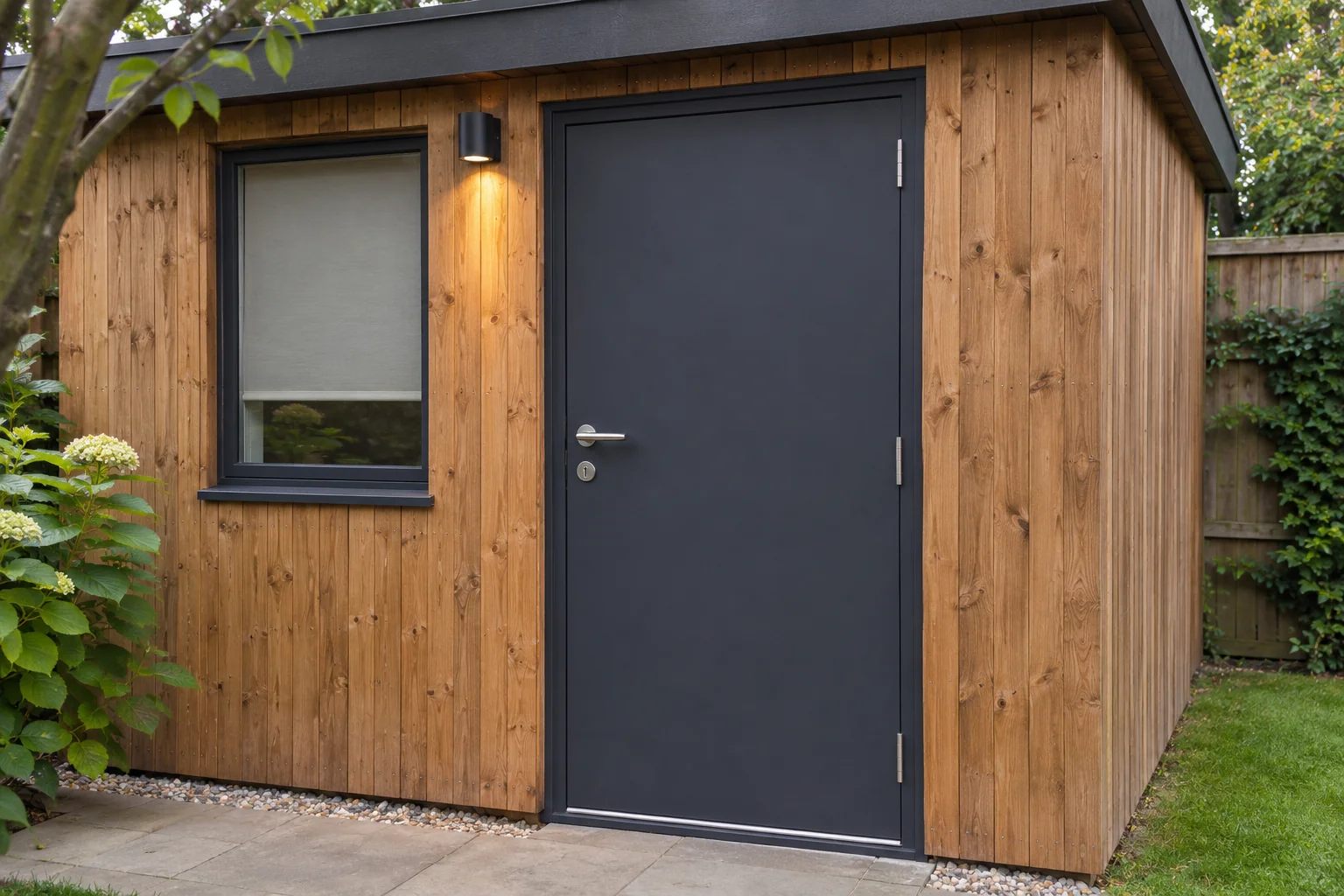
Before you leave a computer in the office, check the door, window and lock details with your insurer. Ask what cover applies to the room and its contents. Walk round outside to see what’s visible and where lighting or an alarm could help.
At a glance
Match component and whole-opening evidence to the exact supplied configuration.
Check doors and windowsSeparate detection, local warning, notification, monitoring and confirmed response.
Prepare the alarm briefUse the actual wording, schedule and written answer for the room, its use and equipment.
Build the insurance recordChoose the opening as a complete product: the door or window, its frame, glazing, hardware and installation. “Secure” on a brochure is a starting point for questions, rather than a specification you can check at delivery.
A description such as multi-point locking tells you a feature is offered. Ask which door or window, which hardware and which configuration it describes.
A lock or cylinder document concerns that identified component. Check its scope before treating it as evidence for the frame, glazing or complete opening.
Match the exact doorset or window configuration to the test or certification documents. Retain the issuer, standard and edition, scope and installation requirements.
A handover check records how the fitted opening closes, locks and operates. It can identify a problem; it does not recreate a security test or issue certification.
Secured by Design’s explanation of testing and certification distinguishes a submitted test sample from a certification scheme involving representative products, factory inspections and continuing checks. Ask for the current document that covers the item you are buying; a supplier logo alone does not identify that configuration.
Its locks and hardware guidance also separates replacement components from new door assemblies and explains why the door, frame and other hardware matter. It distinguishes different forms of exit operation. Agree compatible hardware and safe exit with the supplier or a competent locksmith, especially before retrofitting an occupied office.
At handover, ask for an ordinary demonstration of closing, locking, unlocking and exit, plus the keys and maintenance instructions. Record defects for the installer to resolve. Do not simulate forced entry or replace a specified component without checking compatibility.
On 21 November 2026, Noah’s security page says multi-point locking is standard, with the actual hardware determined by the chosen door. It lists lighting as optional and alarms and cameras as separate from the standard package. That supplier description does not verify a certificate or insurer acceptance for your selected building.
This is an invented quotation scenario, separate from the supplier example above.
Garden-office security for computers has three jobs: protecting the equipment itself, controlling access to its contents and recovering the work if it is lost. Give each job an owner, particularly when the laptop belongs to an employer.
Secured by Design’s garden-office guidance advises removing portable valuables overnight, concealing contents when the room is unused and checking the employer’s equipment policy. Decide what will move with you, what must remain and what suitable secure storage requires. Obtain support and fixing details for a proposed cabinet rather than assuming a wall lining or floor can take it.
Maintain a private inventory with models, ownership, receipts, photographs and serial details. The Metropolitan Police’s outbuilding guidance supports keeping photographs and identifying records. Store those records where they remain accessible if the equipment is stolen; do not publish the inventory or valuable-item locations.
The NCSC’s device guidance recommends access controls and keeping supported devices, apps and browsers updated. Follow the owner’s IT policy and approved settings; a building lock does not protect an already accessible account.
The NCSC’s backup guidance says to check that important data is included and know how to restore it. It also advises securing external backup devices and disconnecting them when unused, and protecting online backups with two-step verification. Ask the responsible IT person to record the recovery arrangement and evidence of a suitable restoration check. A copy stored beside the only computer may share the same physical loss.
Keep the room workable while occupied. The interiors guide covers the layout, and the privacy guide helps compare coverings and views. Neither replaces the security evidence or equipment routine.
Tell the alarm installer what you need to detect and who can respond. Record the actual system and the building it serves. A feature list does not establish coverage, a usable signal or a response arrangement at the far end of your garden.
These are questions to specify, not a promise that every system contains all five stages or that one stage guarantees the next.
Police CPI’s alarm guidance distinguishes an audible alarm, which does not receive an automatic police response, from a monitored system using an alarm receiving centre. It links NSI and SSAIB installer directories. Its security-systems requirements page explains that police-response arrangements have technical and procedural conditions. Confirm the applicable route with the installer and relevant police force; do not assume one arrangement applies throughout the UK.
When the office is closed, who gets the alert and how does it reach them? Find out which parts rely on mains power, batteries, the home router, mobile service or a subscription. Have the installer explain and demonstrate supported checks, including the documented behaviour if power or communication is lost. Record what was actually demonstrated and what remains unknown.
Agree who changes batteries, maintains the system, manages users and receives fault warnings. Include ongoing charges, support, cancellation terms and any monitoring agreement in the comparison. Do not disable protective equipment or open electrical devices to devise your own failure test. Use the power and broadband guide to allocate the room’s supply and connection work.
Name the doorway or route, control and operating times. Resolve electrical work and avoid unwanted glare or light into neighbouring rooms. The outside-lighting section provides a separate brief; brightness alone is not evidence of crime prevention.
Identify the intended view, access to recordings and retention arrangements. A camera recording an event is different from someone watching and acting on it. Include any service and communication dependencies in the alarm discussion.
The ICO’s home-CCTV guidance says data-protection law applies when domestic cameras capture beyond the property, and covers minimising capture, signs and handling recordings and requests. The page is under review following the Data (Use and Access) Act. Check its current advice for the proposed arrangement; business surveillance may need the ICO’s organisational guidance rather than the domestic route. This brief does not approve a camera position.
Ask about the actual use before ordering the room or leaving equipment in it. Describe clerical work, visitors, business stock or other activities accurately, including who owns the equipment and whether it is removed or left overnight. Keep the insurer’s answer with the policy documents.
One example is the Aviva home-policy booklet at its v9 URL, checked on 21 November 2026. Its definitions distinguish home-office equipment from other business property and define the outbuilding and permitted use. Its contract includes the schedule, which supplies limits and clauses. The contents exclusions include theft from garages or outbuildings unless entry or exit involved force and violence.
This illustrates questions to ask; it does not establish your cover. Your policy, schedule, endorsements, equipment ownership and use may differ. Obtain confirmation of the building and contents treatment, limits, excess, required security and exclusions, including any employer or business policy that also applies.
Keep this record privately with the building documents. For each item record the evidence seen, question remaining, responsible person and next date. Label supplier claims, documents, installed observations and insurer answers separately; leave an unknown visibly unresolved.
| Record item | Evidence and next action |
|---|---|
| Use and ownership | Working pattern, visitors and absences; equipment owner, employer rules and changes to notify. Record: ____ |
| Equipment record | Item and model, value evidence, and where receipts, photographs and serial records are securely kept. Keep the inventory private. Record: ____ |
| Doors and windows | Opening location and type; complete product reference, frame, glazing, hardware and operating instructions. Record: ____ |
| Security claim evidence | Claim, tested or certified item, standard and edition, issuer, certificate scope, supplied configuration and unresolved differences. Record: ____ |
| Installation and everyday operation | Installer, compatible alterations, closing and locking checks, safe exit, any escape-window role, maintenance and responsible person. Record: ____ |
| Boundary and visibility | Access, tools, keys and storage routines; coverings when unused, with needed light, ventilation and exit retained. Record: ____ |
| Devices and recovery | IT owner, approved device and account controls, backup location, restoration evidence and action if a device is stolen. Record: ____ |
| Alarm and detection | Exact system and sensor models, purpose, coverage questions, environmental limits and installer demonstration. Record: ____ |
| Power and communication | Supply, battery, closed-room signal, subscription and supported power or network loss demonstration. Mark tested versus unknown. Record: ____ |
| Alert and response | Notification recipient, who can safely act, any monitoring or keyholder agreement, and confirmed response arrangements. Record: ____ |
| Lighting or cameras | Purpose, position, controls and wiring responsibility; nuisance, capture area, access to recordings and retention questions. Record: ____ |
| Insurer confirmation | Policy version and schedule, use and ownership acceptance, definitions, limits, excess, conditions, exclusions, written answer and date. Record: ____ |
Send the relevant questions to the supplier, installer, IT owner and insurer. Keep personal inventories and access details out of public quote requests. Before accepting a proposal, resolve material differences between the documented product, the installation and the conditions you have been given.
Use the quote comparison guide to separate included equipment from optional installation, connection, monitoring and maintenance. Add the quoted work and ongoing commitments to the project budget, carry unresolved responsibilities into the planner brief and revisit the office buying guide if security changes the building specification.
Review the record when equipment, people, use, products, service contracts or policy terms change. If the lock, alarm or policy changes, ask the installer or insurer which part of the written agreement needs updating.
Primary security, supplier, insurer, NCSC and ICO passages were checked on 21 November 2026. The quotation example is fictional; no selected product certificate, installed security system, site assessment or personal insurance cover was verified. The original record separates claims, documents, observations and insurer answers. Give your insurer the proposed door, window and lock details and keep their written response alongside the quote.