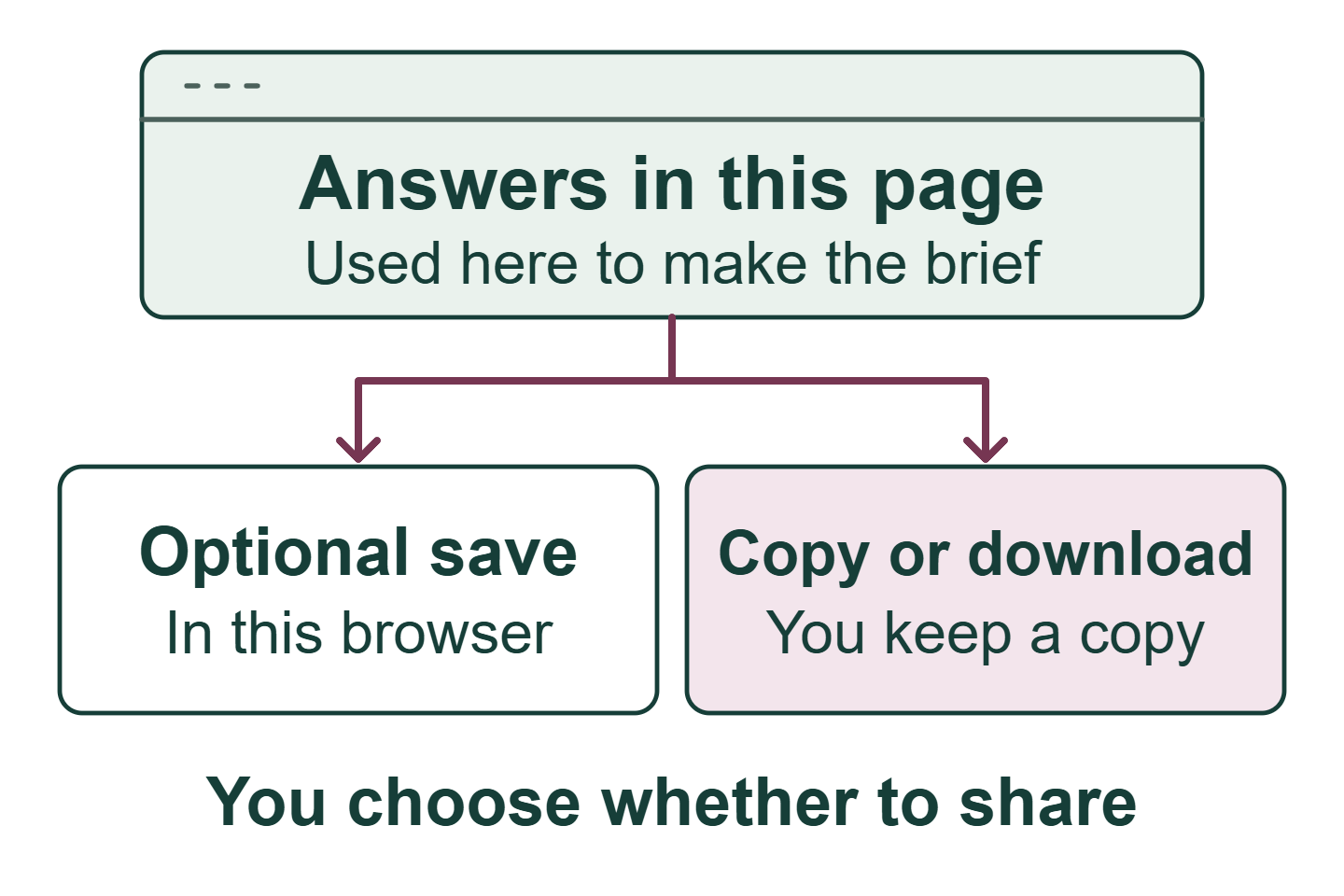
Garden Building Guide’s planning tools process your answers in your browser. You choose whether to save or share them. Optional action counting is switched off, and the site does not forward tool answers or supplier enquiries.
Sources checked 24 November 2026 · Check what applies to your own site.
Where information goes and the controls you have.
Start with the flow for tool answers. The table below covers other records and controls.
Saving in this browser, taking a copy and sharing it are separate actions.
The project planner uses room requirements, broad area, measurements, site/access details, services, budget, timing and optional notes to generate a brief. The office space checker uses dimensions and layout choices. The room designer uses room dimensions, openings, furniture positions and object labels. These tools do not forward your answers or design to suppliers. Notes and labels can contain personal information if you enter it, so include only what your project needs.
Tool and website data map. Action counting is disabled; its potential record is described separately below.
Action
Information
Where
Control
Enter answers
Requirements and notes
Current browser page
Edit before generating
Save project
Answers and imported space
This browser and site
Delete saved project
Save dimensions
Office model values
Separate browser record
Delete saved dimensions
Save design
Room, openings, furniture and labels
Separate browser record
Delete saved in the room designer
Transfer space
Checked office model
Temporary session storage
Read and removed on arrival
Copy / export
Brief, pack, plan or layout file
Clipboard, file or print
You manage those copies
Count actions
Currently disabled
No counting script loaded
Separate administrator setting
Run the site
Platform and request records
WordPress and hosting.com
Separate from tool saves
Follow a link
Visit to another website
The destination’s service
Check its privacy information
Save, restore and delete browser records
Project planner
Choose Save project answers to keep the form answers and any imported internal-space model. Use Restore saved project in the same browser and site address to load that record and review it. Delete saved project removes that saved record; the current form stays as it is.
Office space checker
After checking the model, choose Save dimensions. Use Restore saved dimensions to load and recheck them. Delete saved dimensions removes this separate saved record; it does not delete a saved project in the planner.
Room designer. Choose Save design to keep the current layout in this browser. Restore saved reopens that design; Delete saved removes its saved record without clearing the current plan or downloaded files. This is separate from the planner and office-checker saves. Download layout file creates a file you can reopen in the designer; opening it reads the file in your browser and does not upload it to the site. Download plan SVG creates a separate plan image.
The tools set no automatic expiry on these saved records. Deleting them or clearing this site’s browser data removes them from that browser. There is no account-based synchronisation between devices. The browser’s own autofill and session-restoration features are separate from these explicit Save actions.
Deletion has a defined limit. Deleting a saved record leaves current unsaved form values in place. It does not remove clipboard contents, downloads, printed copies, a saved HTML pack or information you have already shared with someone else. Manage those copies separately on the device or with the recipient.
Move a checked space into the planner
Use in my project brief temporarily stores the checked office model in browser session storage and opens the planner on this site. The planner reads and removes that transfer record on arrival. This is an internal transfer, not a supplier enquiry or an automatic permanent project save.
In the planner, Remove imported space requirements removes the imported model from the current form. It does not rewrite an older saved project or delete saved office dimensions. Save the revised project if you want that saved version replaced, or use its separate delete control. If transfer fails, the tools provide a copy/manual-entry fallback.
Review a copy before sharing it
The planner’s Copy brief and Download as text actions use the generated text, including your notes and the generation date from your device. Edit answers and regenerate before exporting changes. The office checker also provides Copy space brief, Download space brief and a project pack with Download printable HTML. Copies, files and browser printing are user-chosen outputs; they are not sent to a supplier by these tools.
Optional action counting: currently off
The optional action counter is disabled and its script is not loaded. If enabled later, it would count a completed planner brief once per page visit and clicks on recognised supplier links, including source links. Its stored record contains only the date, fixed action, fixed supplier identifier where relevant, and total. It does not store planner answers, free text, full URLs or a persistent visitor identifier, and this feature sets no counting cookie. Repeat visits can add actions; counts are not people, accepted referrals or orders.
The implementation respects Do Not Track and Global Privacy Control signals. The site checks for old counts when it records an action or an administrator visits the measurement screen. It keeps the current date and previous 92 days: a 93-calendar-day window. Older rows can remain on an inactive installation until that check runs. Disabling counting and clearing stored counts are separate administrator actions.
Network requests and server logs are a separate matter. Calling a feature aggregate or cookieless does not establish a consent exemption. The ICO’s storage/access guidance includes browser storage as well as cookies; its consent guidance requires assessment of the actual purpose and applicable exceptions. A Save button alone is not a claim of legal compliance.
WordPress, server records and external websites
The site is hosted by hosting.com. Delivering a page involves requests to the hosting platform, separate from the answers kept by the browser tools. Hosting and security records are not deleted by the tools’ Delete saved controls. A fixed retention period for hosting logs and backups has not been verified, so this notice does not promise one. WordPress administration supports login and preference cookies. Comments are closed on these guides; this notice does not describe the whole site as cookie-free or free of personal-data processing.
Following a source or supplier link opens a separately operated website, which handles that visit under its own arrangements. Check its privacy information before providing details. This site currently has no operational public contact form or lead-forwarding service; the commercial disclosure explains the independent-link status.
Publisher and hosting
Garden Building Guide and website hosting
Garden Building Guide publishes this site. The Contact and corrections page provides an unsent report template; it does not collect a message or submit a privacy request. No contact form or supplier lead-forwarding service operates through these tools.
The publishing name, browser controls and hosting provider described here identify the service this notice covers. They do not establish that another website uses the same processing arrangements. Check a supplier’s or other external website’s privacy information before sharing details there.
The ICO’s right-to-be-informed guidance explains the importance of clear privacy information about actual processing. This notice describes the implemented tools and known hosting arrangements; linking to guidance is not a claim of legal-compliance certification.
Last reviewed: 24 November 2026. Recheck this notice when tools, storage, measurement, hosting or contact arrangements change. Deleting a browser save does not delete downloads, copies shared with others or hosting records.
Contact and corrections
Prepare an evidence-based report and check the current contact-channel status.
The planner, office checker and room designer storage controls, exports and disabled measurement setting were checked on 24 November 2026. The review inspected code and non-personal settings, not saved user answers or private logs. Hosting.com is the supplied hosting provider; no fixed log or backup retention period has been asserted. Linked guidance retains its source-check dates and does not certify legal compliance.
ICO: the right to be informed — Privacy-information categories and clear, accessible presentation. The source is marked under review following the Data (Use and Access) Act; actual controller and deployment facts remain necessary. Checked 20 November 2026.
ICO: storage and access technologies — Storage/access rules extend beyond cookies to web storage and related technologies; personal-data processing can also engage UK GDPR. No exemption is assumed from the technology’s label. Checked 20 November 2026.
ICO: managing consent in practice — Purpose-specific assessment, applicable exceptions, meaningful user information and changing purposes. This notice does not assert that an existing control automatically fulfils legal requirements. Checked 20 November 2026.